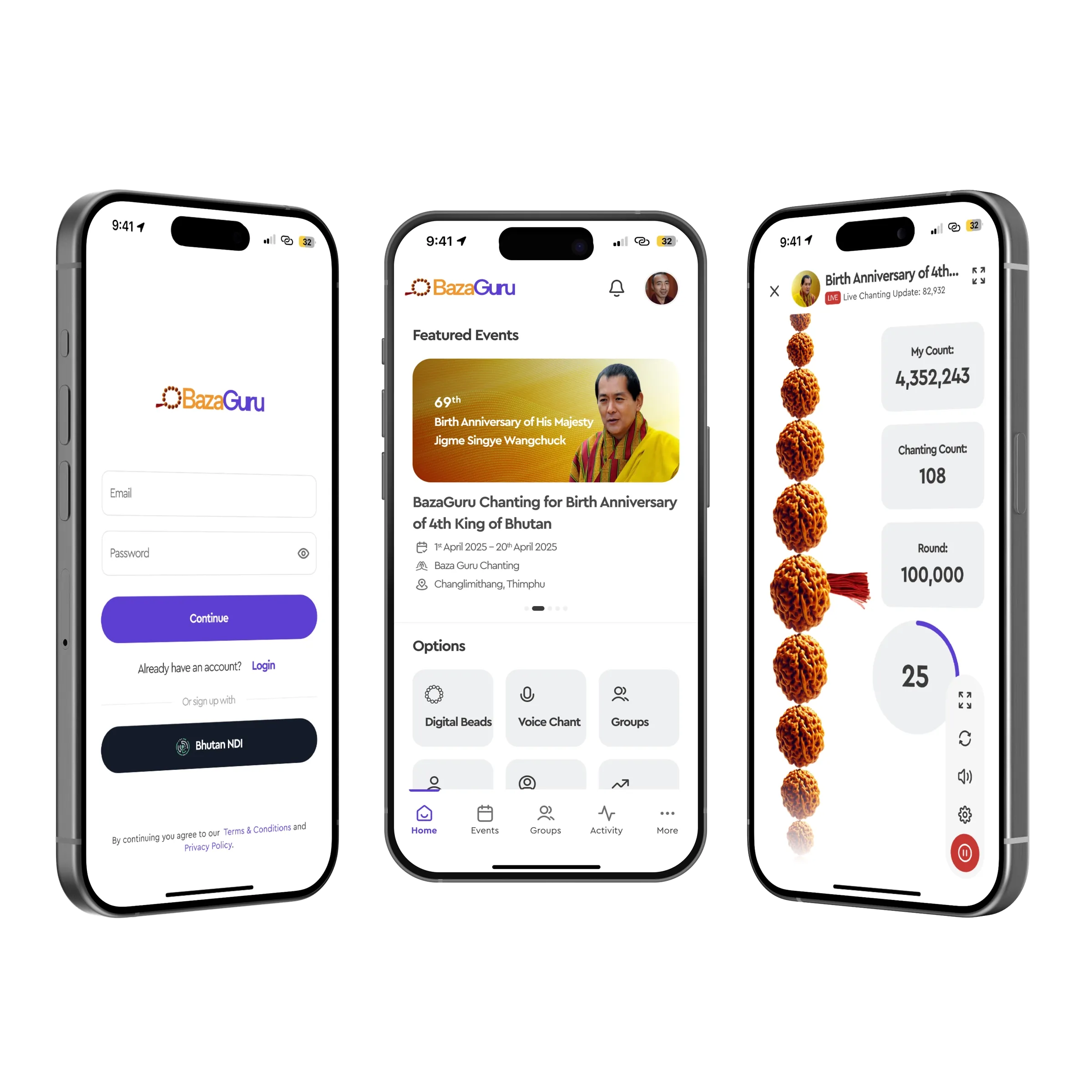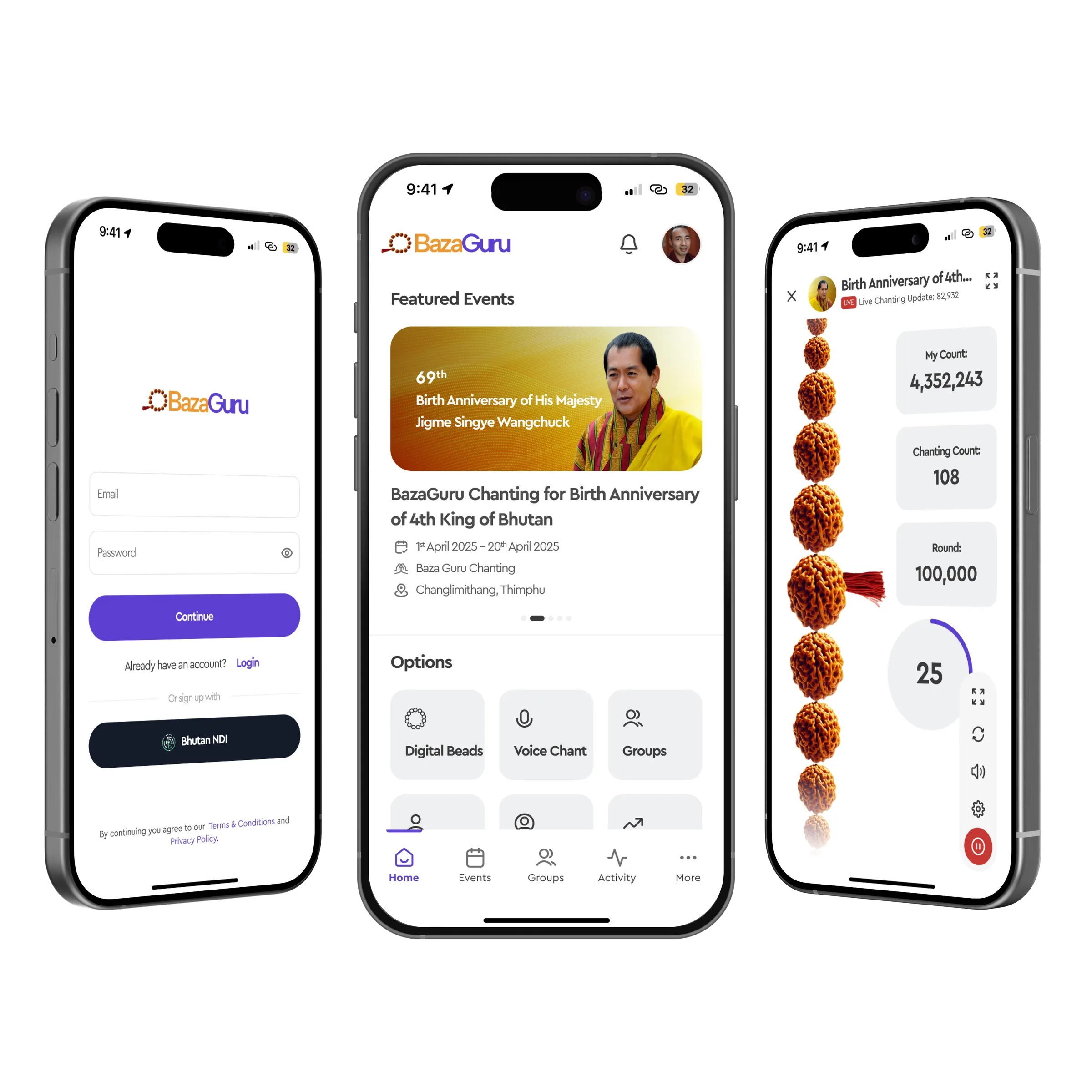
BazaGuru puts a string of prayer beads on a phone. You chant, the beads move, the count keeps itself. Voice counting listens and counts for you. Groups chant together toward one shared total, for a festival, an anniversary or a family. nine75 designed the app from a written brief: the whole flow from sign-in with Bhutan NDI to the live chanting screen, plus events, groups, achievements and the analytics that show a year of practice at a glance.
Problem
People who chant daily already have a way of counting: a mala of 108 beads and a good memory. An app has to be at least as quiet. Early sketches from the client had the right features and too many of them on the first screen; you were 5 taps from the first bead. Counting had to survive a phone call, a locked screen and a lost connection, because a count that resets is worse than no count. Group events needed one honest number that everybody could see move, without the screen turning into a leaderboard. And older users, who chant the most, needed type they could read from a lap.
Approach
We cut the path to chanting to 2 taps: open the app, tap the event or the practice you were on yesterday. Everything else moved behind the tab bar, Home, Events, Groups, Activity, More.
The chanting screen is the product. A string of beads runs down the left, drawn from photographs of real rudraksha so the texture reads on a small screen. Each tap or each counted phrase moves one bead. Three counters sit beside it: your lifetime count, the count within the current 108, and the round target for the event. A circular timer at the bottom tracks a session. The controls, restart, sound, settings, pause, sit in a column at the thumb’s reach and stay out of the way of the beads.
Voice Chant uses the microphone to count repetitions, and the screen shows you what it heard so you can trust it. Groups and Events share one layout: a banner, the dates, the organiser, the place, and the live tally with your share of it.
Sign-in offers email or Bhutan NDI, the national digital identity, as equals on one screen. Type is large by default: 17px body, counters in a bold rounded face at 32px and above, so a count is legible from a metre away.
Colour is restrained. Purple for actions, a saffron orange in the mark and on event banners, and white space for the rest, so the beads are the only rich texture on the screen.
Outcome
36 screens delivered for iOS and Android, including onboarding, empty states and the offline case where a count is stored and synced later. The first bead is 2 taps from a cold open. Achievement analytics show daily, monthly and yearly counts as plain bars with the number written beside each one, never colour alone.
What we would do next
A watch companion, so counting can happen with the phone in a pocket. Audio guidance for chants people are still learning. And a printable year summary, since a good year of practice is the kind of thing people like to keep on paper.